From an unfamiliar client file to clear findings, fast.
What slows consultants & analysts teams down.
Every client file is different
New column names, formats and quirks mean hours of exploration before any real analysis.
Data quality is unknown
Missing values and inconsistent entries can quietly undermine your conclusions.
Deliverables take polishing
Turning analysis into something a client can read and revisit takes extra time.
How consultants & analysts teams use ZettaSheet.
- 1
Load the client’s data
Upload the export or import it from the client’s shared folder.
- 2
Get oriented
“Summarise the key trends in this dataset” gives you a starting point in seconds.
- 3
Check the quality
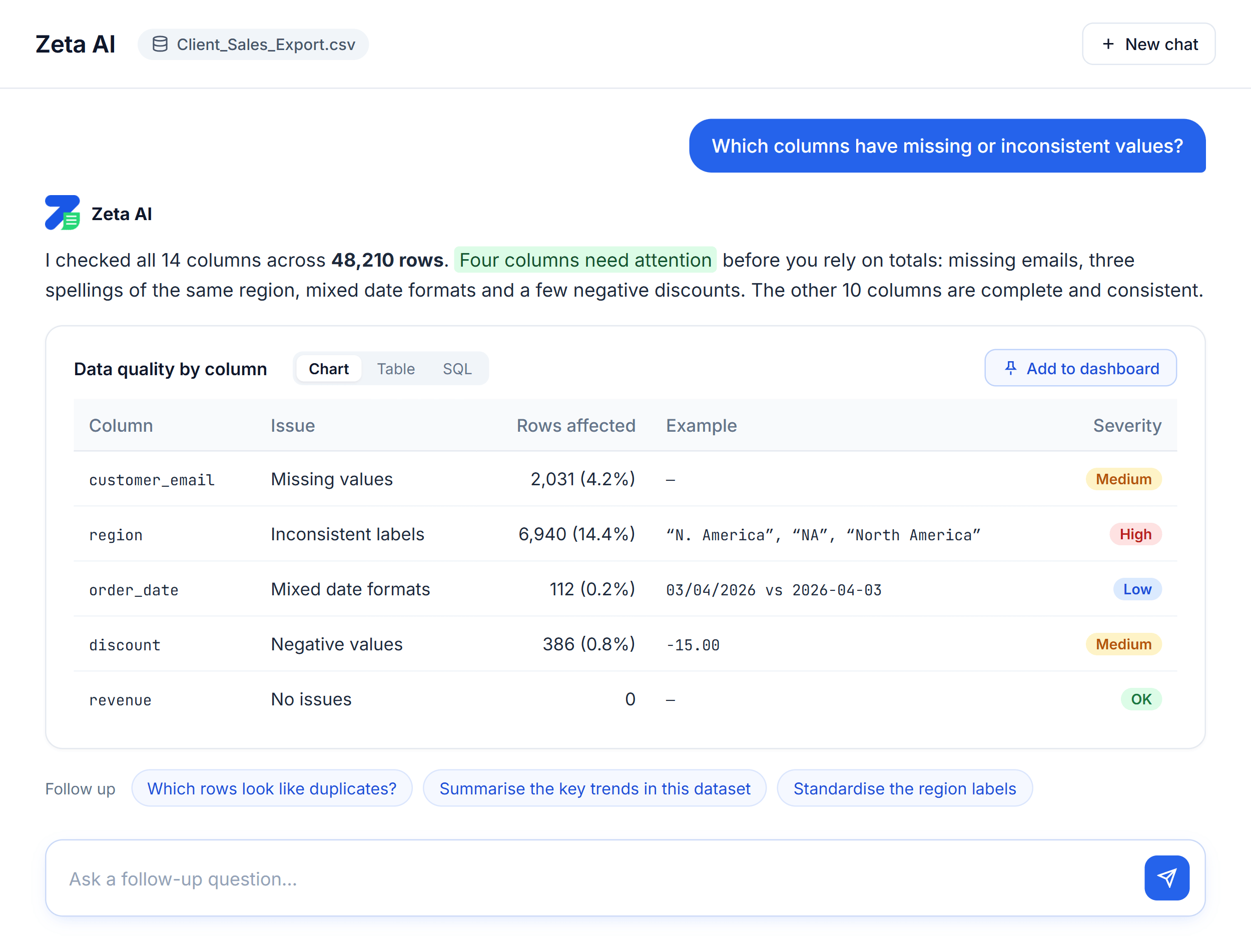
Ask “Which columns have missing or inconsistent values?” before you rely on any number.
- 4
Share the findings
Build a dashboard of the key KPIs and invite the client’s team as viewers.
Data they bring
- CSV exports sent by the client
- Shared folders in Google Drive, Dropbox or OneDrive (paid plans)
- Read-only access to a client database (paid plans)
CSV upload works on every plan. Database and cloud storage connectors are on paid plans.
Copy a question, paste it into Zetta AI.
Click any question to copy it.
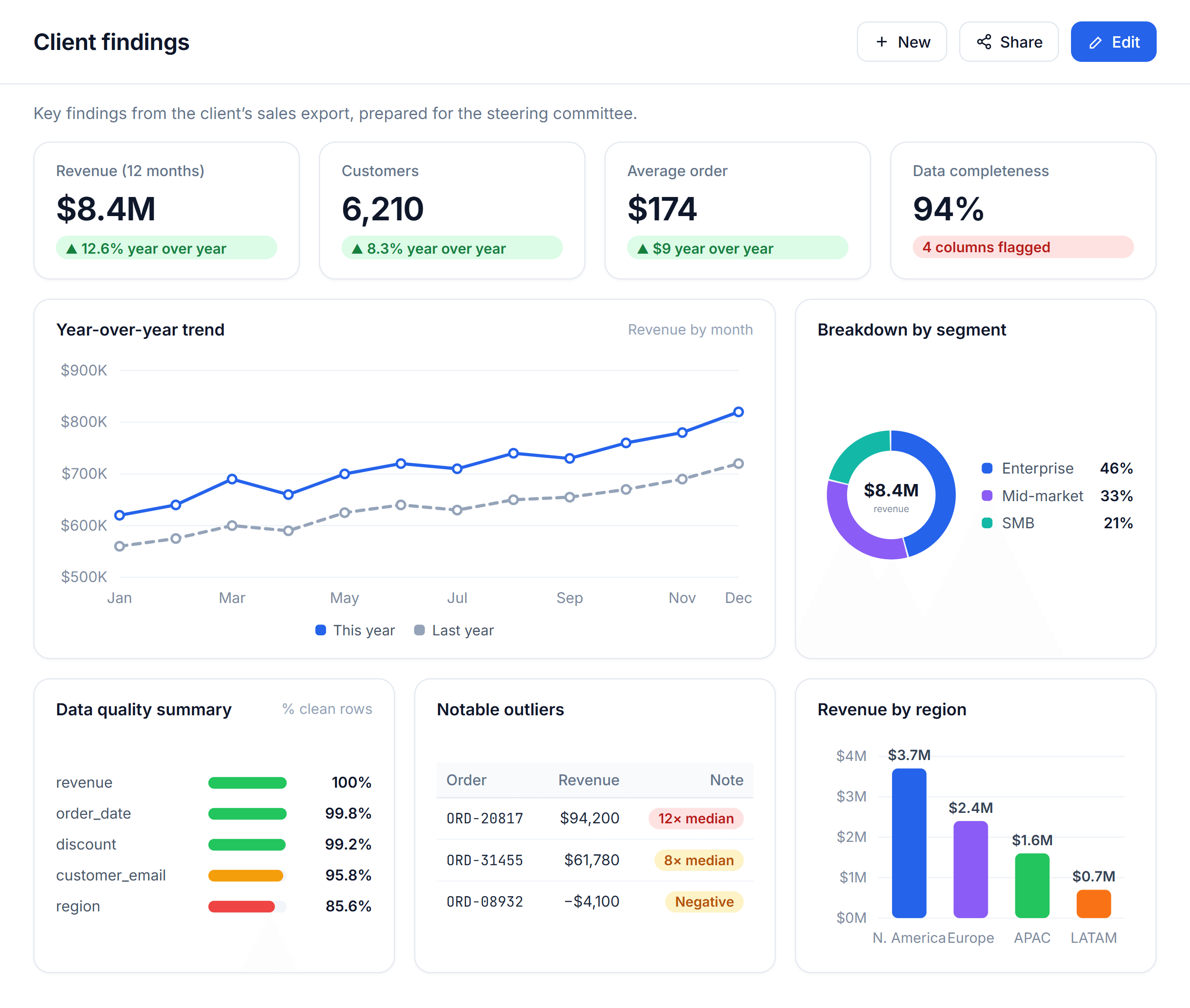
Client findings dashboard.
Pin the answers you rely on, arrange them on one dashboard and share it with your team.
- Key KPIs at a glance
- Year-over-year trend
- Breakdown by segment
- Data quality summary
- Notable outliers